Smooth operations, by design.
See how RexoQR transforms the wait experience for guests and the workflow for your staff.
The Guest Journey
Scan the QR Code
Upon arriving at the branch, guests scan the prominently displayed QR code with any smartphone. No app download required.
Works with iOS Camera, Android Camera, and any QR scanner app.
Select a Service
A list of available services loads instantly. Guests choose the service they need and confirm.
Each service shows the estimated wait time based on current queue length.
Receive a Token
A digital token is issued immediately with a unique number. Guests can bookmark the status page or keep the tab open.
Tokens are tied to the session — no login required for guests.
Track Live Status
The token status screen updates in real time: waiting → called → serving. Guests see exactly how many people are ahead of them.
When called, the screen shows which counter number to proceed to.
Token Status Flow
Each token progresses through clearly defined states. Guests and staff always know where they stand.
Tokens can also be marked Cancelled or Expired from any non-terminal state.
Staff Experience
Every role has a dedicated view, purpose-built for their part of the workflow.
Manage the Queue
Receptionists view all waiting tokens in the live queue. They call the next token when a counter is available, assigning it to a specific counter.
Serve the Guest
Counter agents see their currently assigned token. They start serving, mark processing, and complete — each action updates the guest's status screen in real time.
Monitor Operations
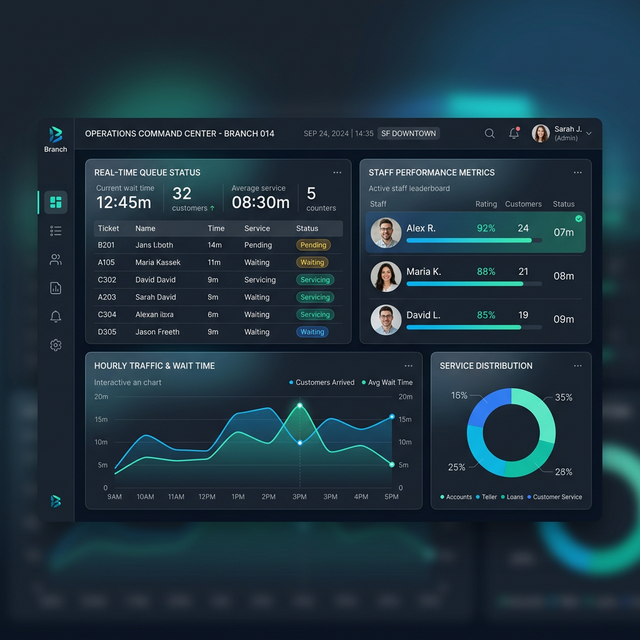
Managers have an overview dashboard showing live queue metrics, average wait times, and service completion rates across the branch.
See it live in your branch
Book a personalized demo and we'll walk you through the complete flow with your real-world use case.
Book a Demo